AI budget app
The AI budget app that works with ChatGPT, Claude and Gemini
BudgetGram is a budgeting app you can fill in with AI. Snap a receipt, say an expense out loud, or share a screenshot with ChatGPT, Claude or Gemini and say “add these”, and your budget updates itself. Then ask your assistant questions about your own spending in plain English.
- Free plan, no time limit
- AI features on Pro, $9.99/mo
- No bank login needed
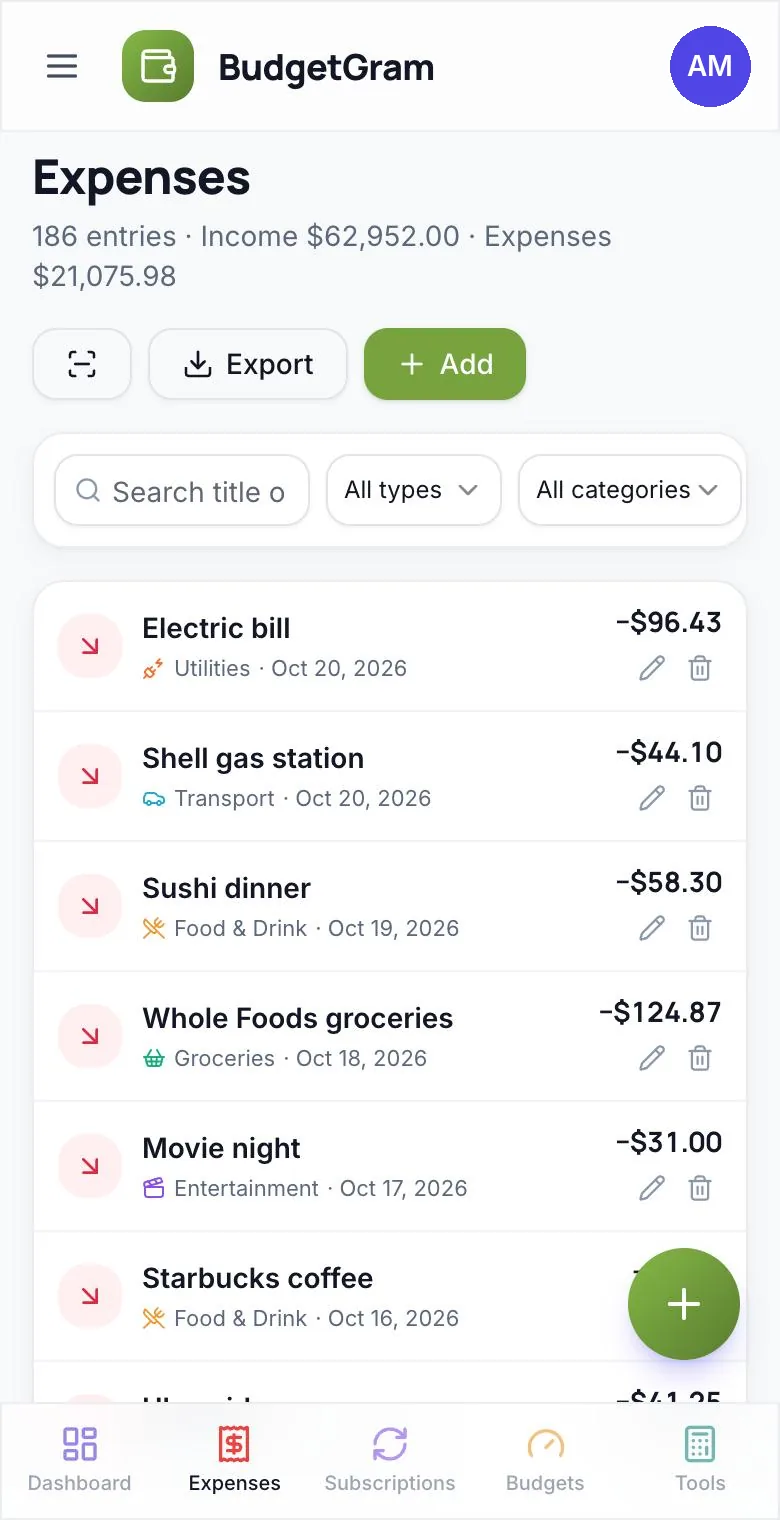
Less typing
Three ways AI fills in your budget
The hardest part of budgeting is logging every purchase. BudgetGram gives you three shortcuts. All three show you what they found before anything is saved, or tell you exactly what was added.
Scan a receipt or screenshot
Take a photo of a receipt, or paste a payment screenshot or bank statement. AI reads the merchant, amount, date and category. A receipt becomes one entry for the total, and a statement becomes one row per transaction, all for you to review and save.
Say it out loud
Tap the mic and say “twelve dollars on lunch at Chipotle”. BudgetGram turns it into a filled-in expense, with amount, title and category, that you confirm with one tap.
Ask your AI assistant
Connect BudgetGram to the assistant you already use: Claude, ChatGPT or Gemini. Share a screenshot and say “add these”, or just ask a question. Your assistant reads and updates your budget directly, and tells you what changed.
Receipt scan, voice entry and AI assistants are included in the Pro and Family plans. Everyone in a Family household gets them.
Budgeting with ChatGPT, Claude or Gemini
Talk to your budget
Once connected, your assistant can work with your real BudgetGram data. Here are things you can say:
- “Add these to BudgetGram” + a receipt, bill or bank statement screenshot
- “How much did we spend on groceries last month?”
- “What bills and subscriptions are due in the next two weeks?”
- “Mark the internet bill as paid.”
- “Put $200 into the Japan trip fund.”
- “Chart our spending by category for the last 6 months.”
- “What's my available balance?”
Your assistant can add and update expenses, income, subscriptions, budgets, savings goals, investment balances and categories. It can also look things up and summarise trends. It can't delete anything.
Example conversation
BudgetGram connectedIllustrative conversation. Wording varies by assistant.
Set up in about a minute
How to connect BudgetGram to your AI assistant
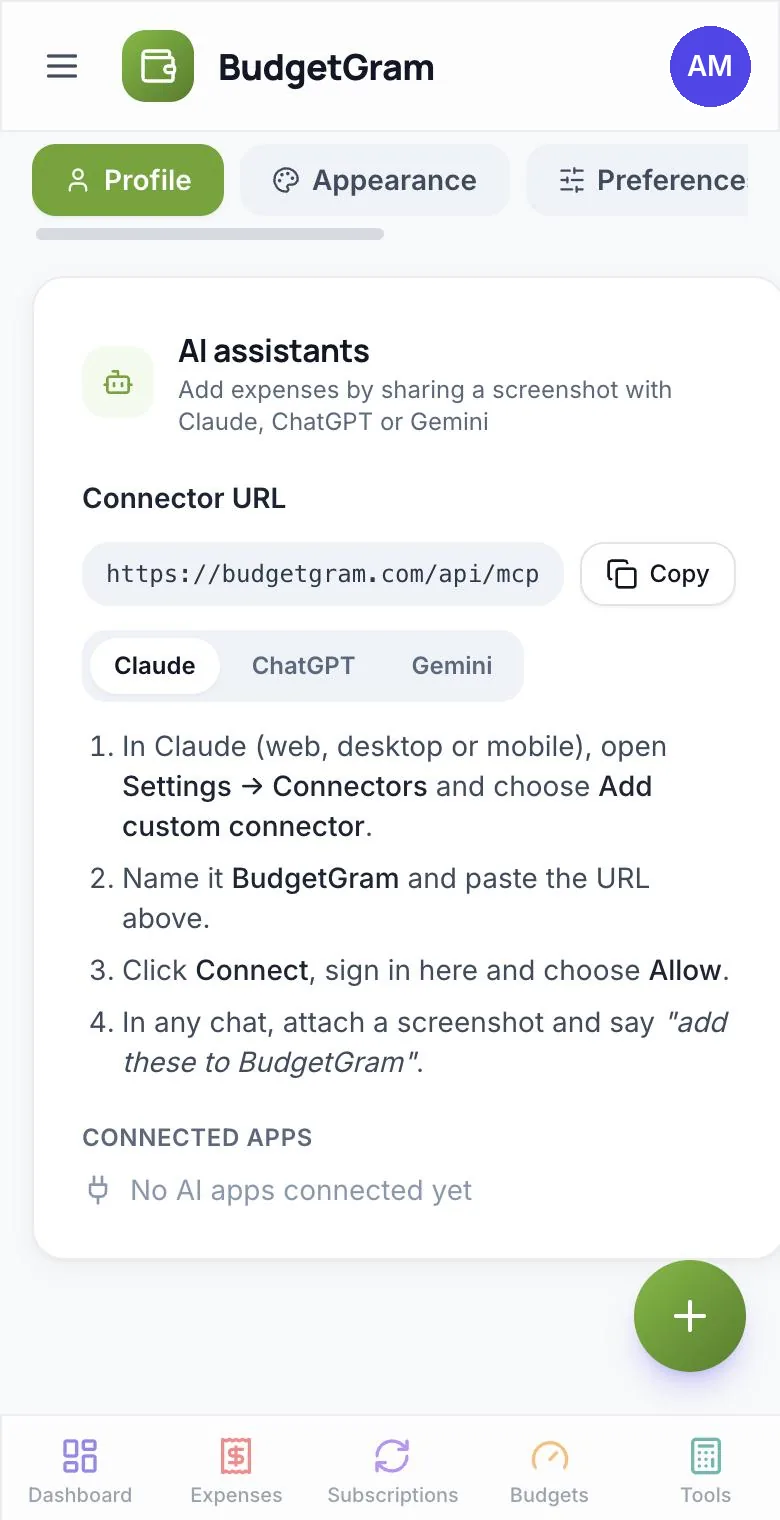
You need a BudgetGram Pro or Family account. Copy the connector URL below (it's also in Settings → AI assistants), then follow the steps for your assistant.
https://budgetgram.com/api/mcp
Claude
- In Claude (web, desktop or mobile), open Settings → Connectors and choose Add custom connector.
- Name it BudgetGram and paste the connector URL.
- Click Connect, sign in to BudgetGram and choose Allow.
- In any chat, attach a screenshot and say “add these to BudgetGram”.
ChatGPT
- On chatgpt.com, open Plugins, click + and choose Add custom MCP server.
- Name it BudgetGram, paste the URL as the HTTPS endpoint and choose OAuth.
- Accept the warning, choose Create as a plugin, then sign in to BudgetGram and choose Allow.
- In a chat, enable BudgetGram, attach a screenshot and ask ChatGPT to add it.
Gemini
- On a computer, go to gemini.google.com → Settings → Connected Apps.
- Under Custom apps, choose Add a custom app and paste the URL. Leave the advanced fields empty.
- Click Next, sign in to BudgetGram and choose Allow. It then works in the Gemini mobile app too.
- In a chat, type @, pick BudgetGram, attach a screenshot and ask Gemini to add it.
Gemini custom apps currently need a personal Google account in the US, in English, age 18+, with Keep Activity on.
Any other app that supports MCP connectors with OAuth sign-in works too, such as Claude Code.
Safety
Is it safe to connect an AI assistant to your budget?
We built the connector so the assistant can help without being able to do damage.
- Your password stays with BudgetGram. You sign in on budgetgram.com and approve the connection. The assistant only gets a revocable access key.
- It can't delete anything. There are no delete tools. Removing an entry is always done by you, in the app.
- Duplicates are skipped. If an entry with the same amount, day and a similar title already exists, it isn't added twice.
- No bank access at all. BudgetGram never asks for your bank login, so neither BudgetGram nor your assistant can touch your accounts or move money.
- Disconnect any time in Settings → AI assistants. Access stops immediately.
What you type or upload in a chat is handled by that AI company under its own privacy terms. BudgetGram only receives the entries your assistant adds or the questions it asks.
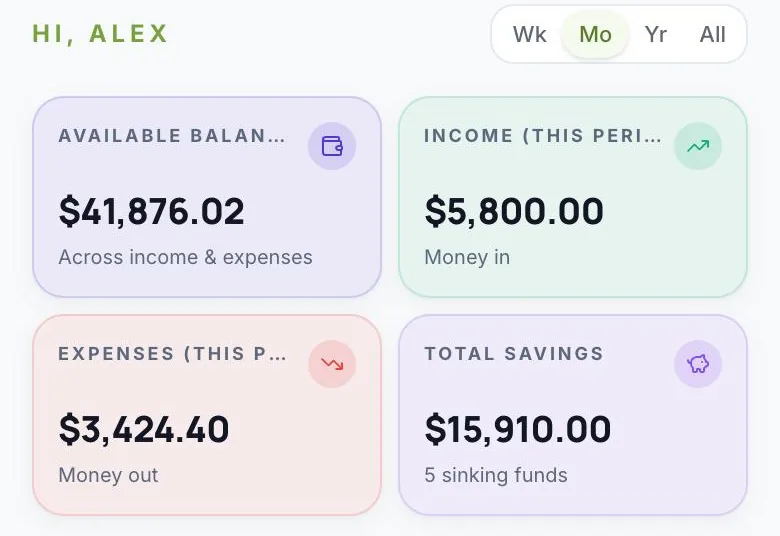
Everything the AI adds lands in your normal budget, dashboard and reports.
Honest comparison
BudgetGram vs. other AI money apps
Each of these works differently. The biggest difference is whether the app reads your bank accounts automatically, or whether you (or your AI) add what you spend.
| BudgetGram | ChatGPT Finances | Monarch | Copilot Money | |
|---|---|---|---|---|
| What it is | Budget app you fill in by hand, receipt, voice or AI chat | Personal-finance feature built into ChatGPT | Budget app with automatic bank sync | Budget app with automatic bank sync |
| Free plan | Yes, no time limit | Included in ChatGPT plans, including Free | No (7-day free trial) | No (1-month free trial) |
| Links to your bank | No, never asks for your bank login | Yes, via Plaid | Yes | Yes (10,000+ US institutions) |
| Works with AI assistants | Claude, ChatGPT and Gemini (official connector; reads, adds and edits) | It is ChatGPT | Official MCP connector for Claude, ChatGPT (web) and others; read-only by default, edits with your approval | MCP connector in beta (read-only) |
| Shared household | Up to 5 people, each with their own login | Per ChatGPT account | Household members, each with their own login | Partner shares the same account |
| Platforms | Any browser: iPhone, Android, Mac, Windows | Web, iOS, Android | Web, iOS, Android | iPhone, iPad, Mac, web (Android not listed) |
| Countries | Worldwide; USD, INR, GBP, EUR | US only | US and Canada | US banks |
Checked on October 21, 2026 against each company's own website and help centre. Features and prices change, so check their sites before deciding: ChatGPT Finances, Monarch MCP connector, Monarch FAQs, Copilot Money FAQs, Copilot Money updates.
Choose BudgetGram if…
- you'd rather not link your bank accounts
- you live outside the US, or budget in rupees, pounds or euros
- you budget with a partner or family
- you want a free plan, or AI that works in Claude, ChatGPT and Gemini
Choose ChatGPT Finances if…
- you're in the US and already use ChatGPT
- you mainly want to ask questions about linked accounts
- you don't need a separate budgeting app
Choose Monarch or Copilot if…
- you're in the US (Monarch: also Canada)
- you want transactions imported from your bank automatically
- you're happy to pay after a free trial
FAQ
AI budgeting questions, answered
What is the best AI budget app?
It depends on whether you want your bank linked. If you're in the US and want transactions imported automatically, Monarch and Copilot Money do that, and ChatGPT Finances adds money questions inside ChatGPT. If you'd rather not link your bank, live outside the US, or budget with a partner, BudgetGram lets you fill in your budget from receipts, voice or chats with Claude, ChatGPT or Gemini, and it has a free plan.
Can ChatGPT manage my budget?
In two ways. In the US, ChatGPT's built-in Finances feature can read accounts you link through Plaid and answer questions, but it can't take actions for you. Or you can connect a budgeting app like BudgetGram to ChatGPT, so ChatGPT can add and update entries in your budget, such as logging a receipt or marking a bill paid, and answer questions from it.
Which AI assistants work with BudgetGram?
Claude (web, desktop, mobile and Claude Code), ChatGPT (on chatgpt.com, as a custom MCP server) and Gemini (as a custom app; currently personal US Google accounts). Any other app that supports MCP connectors with OAuth sign-in can connect too, using https://budgetgram.com/api/mcp.
Can the AI delete my data or move my money?
No. The BudgetGram connector has no delete tools, so an assistant can only look things up, add entries and edit them. BudgetGram doesn't connect to your bank, so there's no way for it to move money. You can disconnect an assistant at any time in Settings → AI assistants.
Do I need to link my bank account?
No. BudgetGram never asks for your bank login. You add spending by typing it, scanning a receipt or statement, speaking it, or asking your AI assistant to log it.
How much does the AI budget app cost?
BudgetGram's Free plan has no time limit and covers expenses, subscriptions, bills and budgets. The AI features (receipt scan, voice entry and the Claude/ChatGPT/Gemini connector) are part of Pro at $9.99 a month, or Family at $15.99 a month for up to 5 people.
Does it work outside the US?
Yes. BudgetGram works anywhere in a web browser, with US dollars, Indian rupees, British pounds or euros, and receipt scan and voice entry work everywhere. Connecting an assistant depends on that assistant: Claude's custom connectors are widely available, ChatGPT's depend on your ChatGPT plan, and Gemini custom apps are currently limited to US accounts on Google's side.
Let AI do the typing. Keep control of the budget.
Start free. Upgrade to Pro when you want receipt scan, voice and AI assistants.
Last updated October 21, 2026