Budget app for couples & families
One budget for the two of you, with a login each
BudgetGram is a budget app for couples and families. You and your partner, or up to 5 people in your household, each sign in with your own account and share one expense list and one set of budgets. Every entry shows who added it, and nobody has to hand over a bank login.
- Free to start
- Family plan $15.99/mo for up to 5 people
- No bank login needed
Household · The Rivera-Chens
Maya
Owner
Daniel
Member
Illustration
How sharing works
What you share, and what stays yours
Most couples share day-to-day spending but keep some things personal. BudgetGram splits it the same way.
Shared by everyone
- One expense and income list. Everything anyone logs lands in the same list, with a small “added by” name on each entry.
- One set of categories. Groceries means the same thing for all of you.
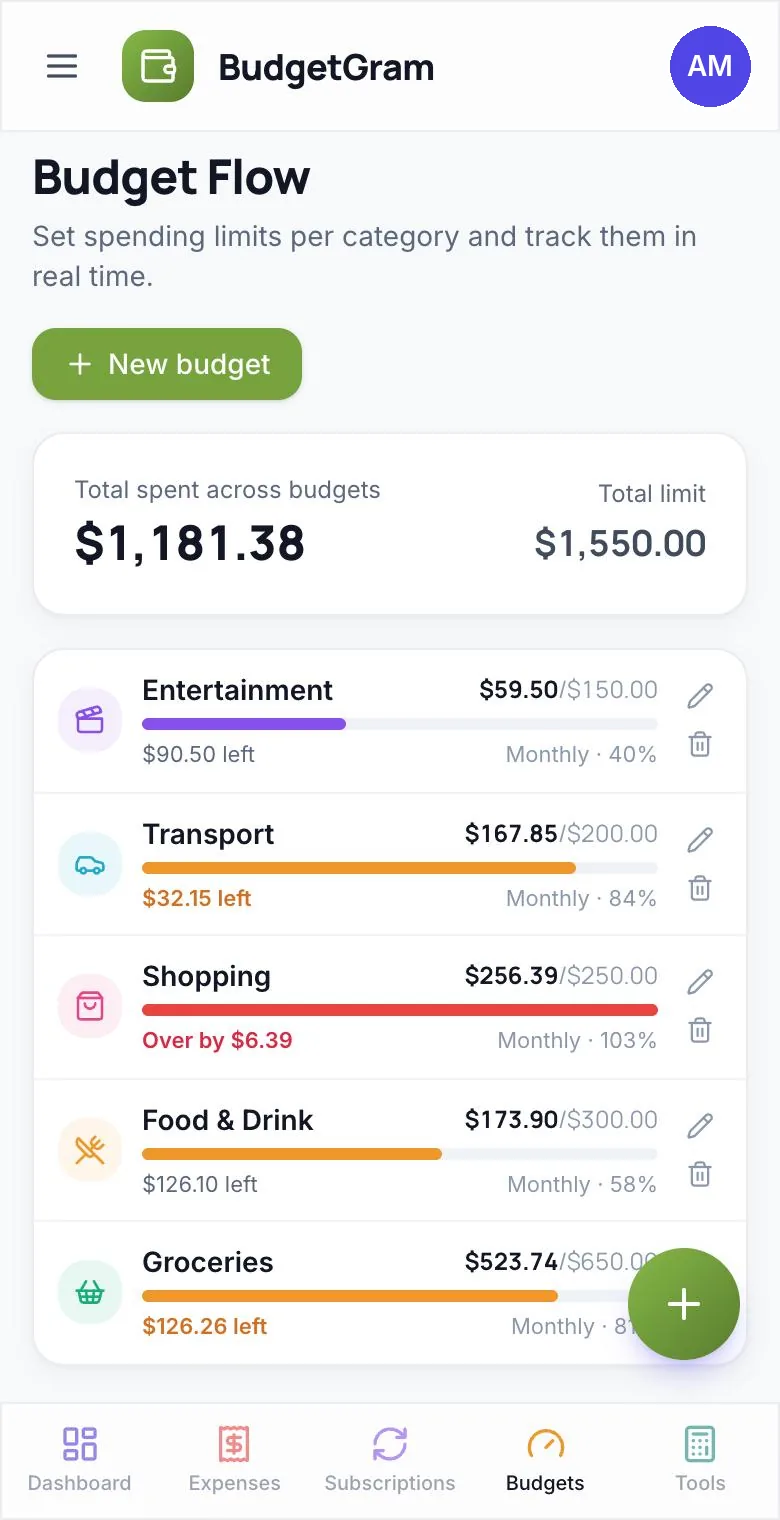
- Shared budgets. A $600 Groceries budget counts what the whole household spends, and resets each week or month.
- Anyone can add or fix an entry, so whoever has the receipt can log it.
Yours, visible to the household
- Subscriptions, like your gym or your streaming apps
- Savings goals (sinking funds), like a new laptop or a trip
- Investment accounts, like your 401(k) or brokerage
- Everyone in the household can see these, but only the person who added one can change it.
Combined or Just me, one tap. The dashboard, expenses, transactions, subscriptions, savings goals and investments each have a Combined / Just me switch, so you can see the household picture or only your own spending. You can pick which one opens by default.
Set up in minutes
How to share a budget with your partner
- Start a Family plan and create a household in Settings → Family. Give it a name if you like.
- Invite your partner by email, or send them your household's invite code. You approve each request, so nobody joins without you.
- Both of you log spending your own way: type it, snap a receipt, say it out loud, or ask ChatGPT, Claude or Gemini to add it. Everyone in the household gets these Pro features through your plan.
- Set shared budgets for the categories you care about, and check the dashboard together.
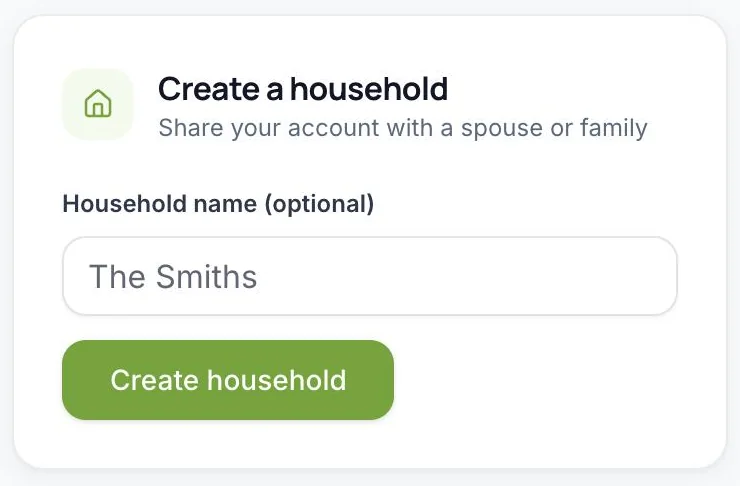
Creating a household in Settings → Family.
Good to know
Before you share
A shared budget works best when everyone knows the rules up front.
Expenses are fully shared
Inside a household there's no “private” expense. Everyone can see every expense, and anyone can edit one. “Just me” filters your view; it doesn't hide anything from the others.
Joining brings your history along
When you join, the expenses, custom categories and budgets you already had move into the household, so nothing disappears, and the household can see them.
Use one currency together
BudgetGram supports dollars, rupees, pounds and euros, but it doesn't convert between them. Pick the same currency for everyone in the household.
Honest comparison
BudgetGram vs. other budget apps for couples
The big choices are how many people can share, whether the app reads your bank accounts, and what it costs.
| BudgetGram | Honeydue | Monarch | YNAB | Goodbudget | |
|---|---|---|---|---|---|
| Price | Free plan; Family $15.99/mo for the whole household | Free (optional monthly tip) | Paid only (7-day free trial) | $14.99/mo or $109/yr (34-day free trial) | Free plan; Premium $10/mo or $80/yr |
| Who can share | Up to 5 people, each with their own login | Built for couples | Household members, each with their own login, no extra cost | You plus up to 5 others, no extra cost | Shared by device: 2 on Free, 5 on Premium |
| How spending gets in | Typed, receipt scan, voice, or ChatGPT/Claude/Gemini; no bank link | Linked bank accounts | Automatic bank sync | Bank import (select US, Canadian, UK and EU banks) or manual | Manual; bank sync on Premium (US banks only) |
| What's shared | One expense list and budgets; subscriptions, goals and investments visible but owned | Each partner chooses how much to share | Members can view each other's data | Plans you choose to share; members can keep their own | Your envelope budget, shared across devices |
Checked on October 21, 2026 against each company's own website, help centre or app listing. Features and prices change, so check their sites before deciding: Honeydue, Honeydue on the App Store, Monarch FAQs, YNAB pricing, YNAB Together, Goodbudget plans.
Choose BudgetGram if…
- you'd rather not link bank accounts
- more than two of you share money, such as a family or roommates
- you want AI to do the typing: receipts, voice or chat
- you budget in rupees, pounds or euros
Choose Honeydue or Monarch if…
- you want your bank transactions pulled in automatically
- Honeydue: you're a couple who wants a free app
- Monarch: you're in the US or Canada and want a full money dashboard
Choose YNAB or Goodbudget if…
- you want a strict method: zero-based (YNAB) or envelopes (Goodbudget)
- you're happy to plan every dollar before you spend it
FAQ
Budgeting as a couple: questions, answered
What is the best budget app for couples?
It depends on how you want to track money. If you want your bank transactions imported automatically, Honeydue (free) and Monarch (paid) do that. If you like a strict method, YNAB (zero-based) and Goodbudget (envelopes) are built around one. BudgetGram suits couples and families who'd rather not link their banks, want each person to have their own login, and want AI to help log spending from receipts, voice or ChatGPT, Claude and Gemini.
Can my partner and I share a budget with separate logins?
Yes. On the Family plan each person signs in with their own email and password, and you share one household: one expense list, one set of categories and one budget per category. Nobody shares a password.
Can I keep some spending private from my partner?
Not inside a shared household today. Expenses there are visible to everyone, and the “Just me” switch only filters your own view. Your subscriptions, savings goals and investments stay yours to manage, but the household can still see them.
How many people can share one budget?
Up to 5 people in total, including the owner, so it works for couples, families with teenagers, or a shared flat.
Does my partner need to pay too?
No. Only the person who creates the household needs the Family plan ($15.99 a month). Everyone who joins gets all Pro features, including receipt scan, voice entry and AI assistants, through that plan.
What happens to my existing expenses when I join?
They move into the household along with your custom categories and budgets, so your history keeps showing on the dashboard. That also means the household can see them. If the owner later deletes the household, everyone gets their own entries back.
Do we need to connect our bank accounts?
No. BudgetGram never asks for a bank login. Either of you can type an expense, snap a receipt, say it out loud, or ask an AI assistant to add it.
Does it work for couples in India, the UK or Europe?
Yes. BudgetGram runs in any web browser and supports rupees (₹), pounds (£), euros (€) and US dollars. Everyone in a household should use the same currency, because amounts aren't converted.
Money talks are easier on the same page.
Start free on your own, then upgrade to Family when you're ready to invite your partner.
Last updated October 21, 2026